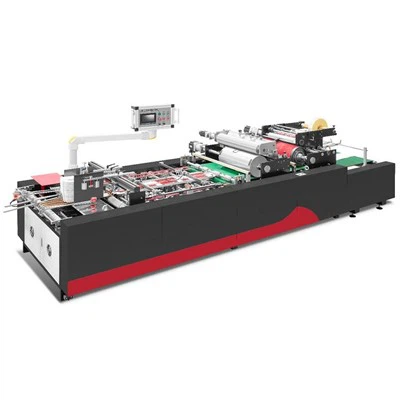
Hey there! As a supplier of automatic blanking machines, I've had my fair share of experience with these nifty pieces of equipment. One question that often pops up from potential buyers is, "What is the operation interface of an automatic blanking machine like?" Well, let's dive right in and take a closer look.
General Look and Feel
The operation interface of an automatic blanking machine is designed to be user - friendly. It's kind of like the control center of the machine, where you can manage and monitor all its functions. Most modern automatic blanking machines come with a touch - screen interface. It's sleek, intuitive, and easy to navigate, just like your smartphone or tablet.
The main screen usually shows an overview of the machine's status. You can see things like the current operating speed, the number of blanks produced so far, and any error messages if something goes wrong. It's like having a dashboard that gives you all the important information at a glance.
Key Features on the Interface
Parameter Setting
One of the most important parts of the interface is the parameter - setting section. Here, you can adjust all the key parameters of the blanking process. For example, you can set the size of the blanks you want to produce. Whether it's a small, precise cut or a larger blank, you can input the exact dimensions on the touch screen.
You can also set the cutting force. Different materials require different levels of force to be cut properly. So, if you're working with a soft material like rubber, you can reduce the cutting force, and if it's a hard metal, you can increase it. This flexibility allows you to work with a wide range of materials, from plastics to metals.

Another parameter you can set is the cutting speed. If you need to produce a large number of blanks quickly, you can increase the speed. But if you need a more precise cut, you might want to slow it down a bit. It's all about finding the right balance for your specific job.
Program Management
Most automatic blanking machines allow you to save different cutting programs. Let's say you often produce blanks of the same size and shape. Instead of inputting all the parameters every time, you can save the settings as a program. Then, the next time you need to make those blanks, you can just select the program from the interface, and the machine will automatically adjust to the right settings.
This is a huge time - saver, especially for mass production. You can have a library of programs on the machine, ready to be used whenever you need them. It also reduces the chances of human error, as the machine follows the pre - set parameters exactly.
Monitoring and Alarms
The interface also has a monitoring section where you can keep an eye on the machine's performance. You can see real - time data such as the temperature of the machine's components, the pressure in the hydraulic system (if it's a hydraulic - powered machine), and the power consumption.
If something goes wrong, the machine will trigger an alarm. The alarm will show up on the interface, along with a detailed error message. For example, if the cutting blade is dull or if there's a problem with the feeding system, the machine will let you know immediately. This allows you to take action quickly and avoid any major breakdowns.
Examples of Our Machines' Interfaces
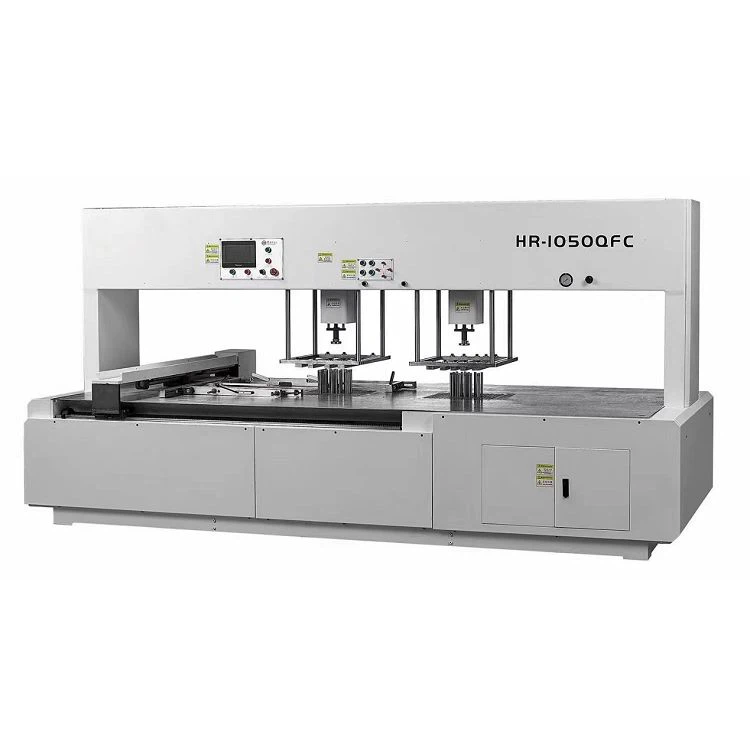
Let me tell you about the operation interfaces of two of our popular machines: the HR - 1050QF Automatic Blanking Machine and the HR - 1050QFC Automatic Blanking Machine.
The HR - 1050QF has a state - of - the - art touch - screen interface. It's designed to be very intuitive, even for operators who are new to blanking machines. The main screen has large, easy - to - read icons that represent different functions. You can quickly access the parameter - setting section, the program management section, and the monitoring section.
The HR - 1050QFC, on the other hand, has an enhanced interface with more advanced features. It has a high - resolution touch screen that provides even more detailed information. It also has a remote monitoring feature, which means you can monitor the machine's performance from a distance using a mobile device or a computer. This is great for large factories where you need to keep an eye on multiple machines at once.
Ease of Training
One of the great things about the operation interfaces of our automatic blanking machines is how easy they are to learn. We understand that not everyone has a technical background, so we've designed the interfaces to be as user - friendly as possible.
We provide comprehensive training to all our customers. Our technicians will come to your site and teach your operators how to use the machine's interface. They'll show you how to set the parameters, save programs, and troubleshoot any issues that might come up.
In most cases, operators can become proficient in using the interface within a few hours. This means you can start using the machine to its full potential right away, without having to wait for a long training period.
Why Our Interfaces Stand Out
Compared to some other machines on the market, our interfaces offer several advantages. First of all, they're very reliable. We use high - quality touch - screen displays and advanced software to ensure that the interface works smoothly at all times.
Secondly, our interfaces are highly customizable. We can work with you to tailor the interface to your specific needs. For example, if you have a particular workflow or if you need to display certain information in a specific way, we can make the necessary adjustments.
Finally, our customer support is top - notch. If you ever have any questions or problems with the interface, our support team is just a phone call away. We'll do our best to help you resolve the issue quickly and get your machine back up and running.
Contact Us for More Information
If you're interested in learning more about our automatic blanking machines and their operation interfaces, or if you're ready to start a purchase negotiation, we'd love to hear from you. We can provide you with more detailed information, answer all your questions, and even arrange a demonstration of the machine at your site.
Our machines are designed to improve your productivity, reduce costs, and ensure high - quality blanking results. With our user - friendly operation interfaces, you'll find that working with an automatic blanking machine is easier than you thought.
So, don't hesitate to reach out. Whether you're a small business looking to upgrade your production line or a large factory in need of a reliable blanking solution, we have the right machine for you.
References
- Industry knowledge and experience from years of working with automatic blanking machines.
- Product manuals and technical specifications of HR - 1050QF and HR - 1050QFC Automatic Blanking Machines.